
content creation hub
Create interactive
educational content
with AI support
Design engaging digital textbooks, interactive lessons and assessments with AI-powered authoring tool and full editorial control.
Content Creation Hub
Create interactive educational content with an AI-supported authoring tool.
content creation hub
Create interactive content ready for different learners, devices and platforms
See how EdTool PRO helps publishers convert their printed textbooks into interactive digital products and enables editorial teams to create high-quality educational content that is accessible, responsive, multilingual, and ready to use across different learning environments.
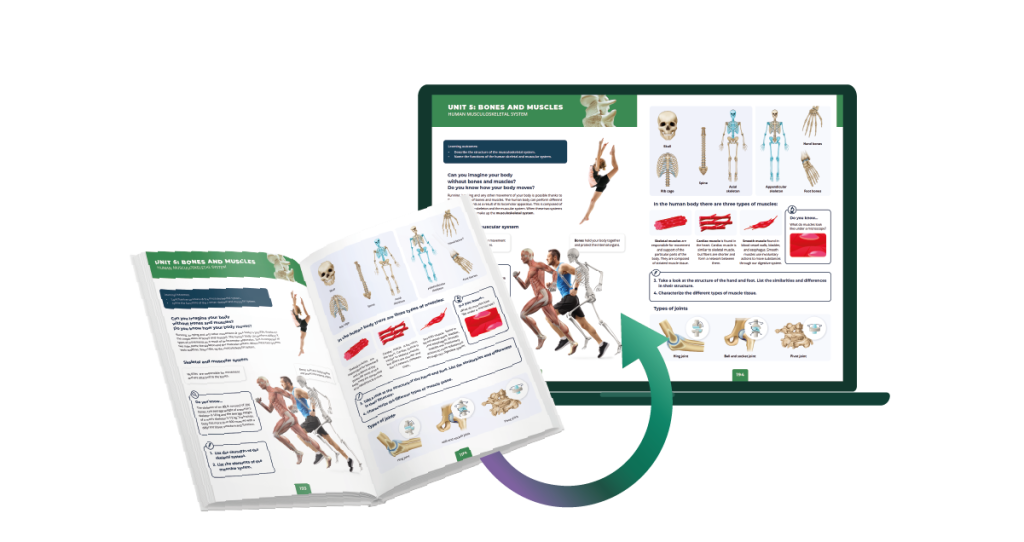
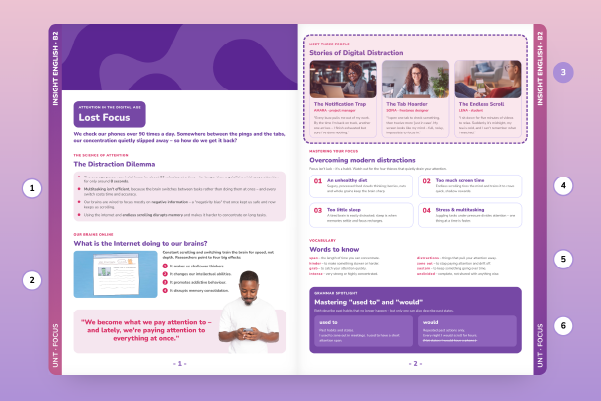
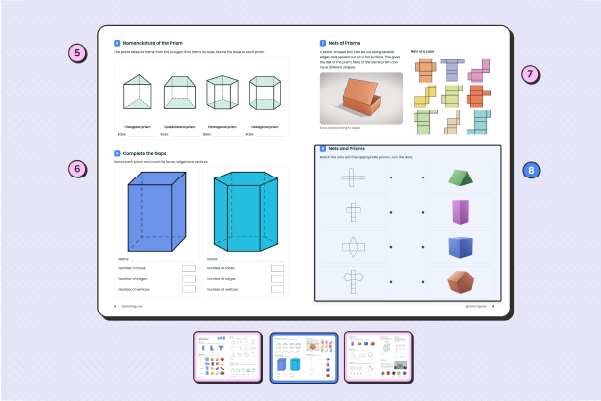
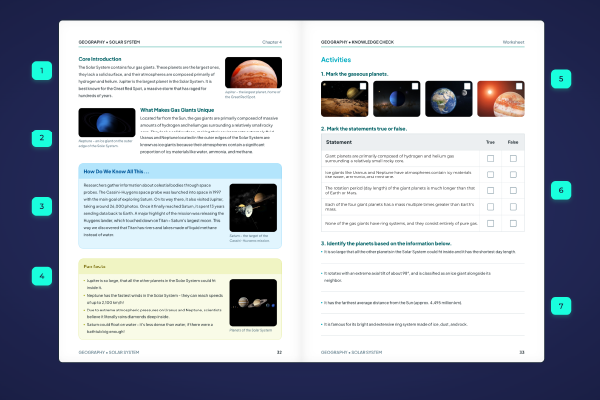
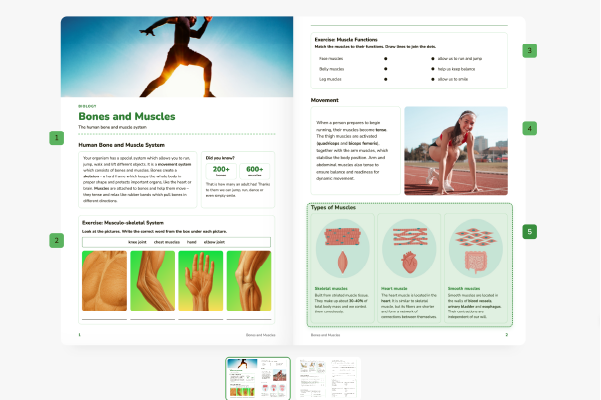
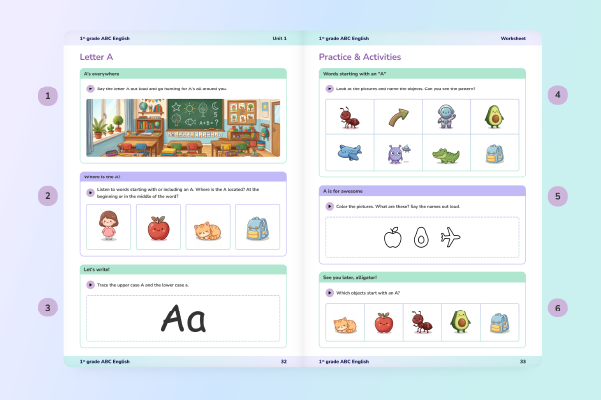
Use Content Creation Hub’s professional authoring tool to transform your existing textbook pages into interactive digital content. Create bookspreads, customize page layouts, add hotspots, multimedia and interactive activities, and refine the content to meet your editorial standards.
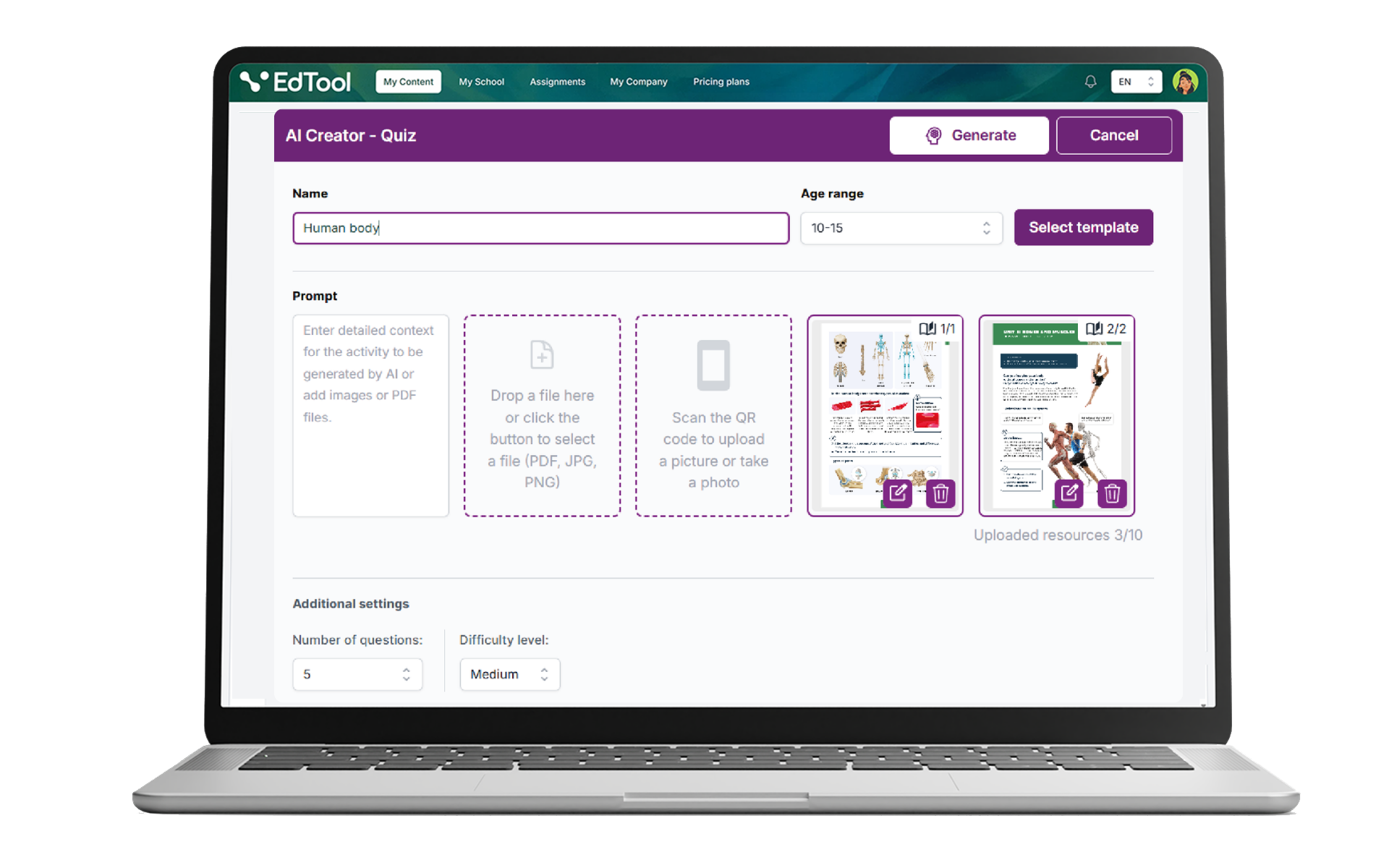
Turn your existing content, images and other source materials into interactive lessons, exercises and assessments with EdTool AI Creator. Create from scratch faster, refine and customize the AI-generated content directly in Content Creation Hub, keeping full editorial control.
INNOVATIVE CONTENT MANAGEMENT - THE FOUNDATION OF PRINT AND DIGITAL WORKFLOW
From a traditional CMS to UCO Bank
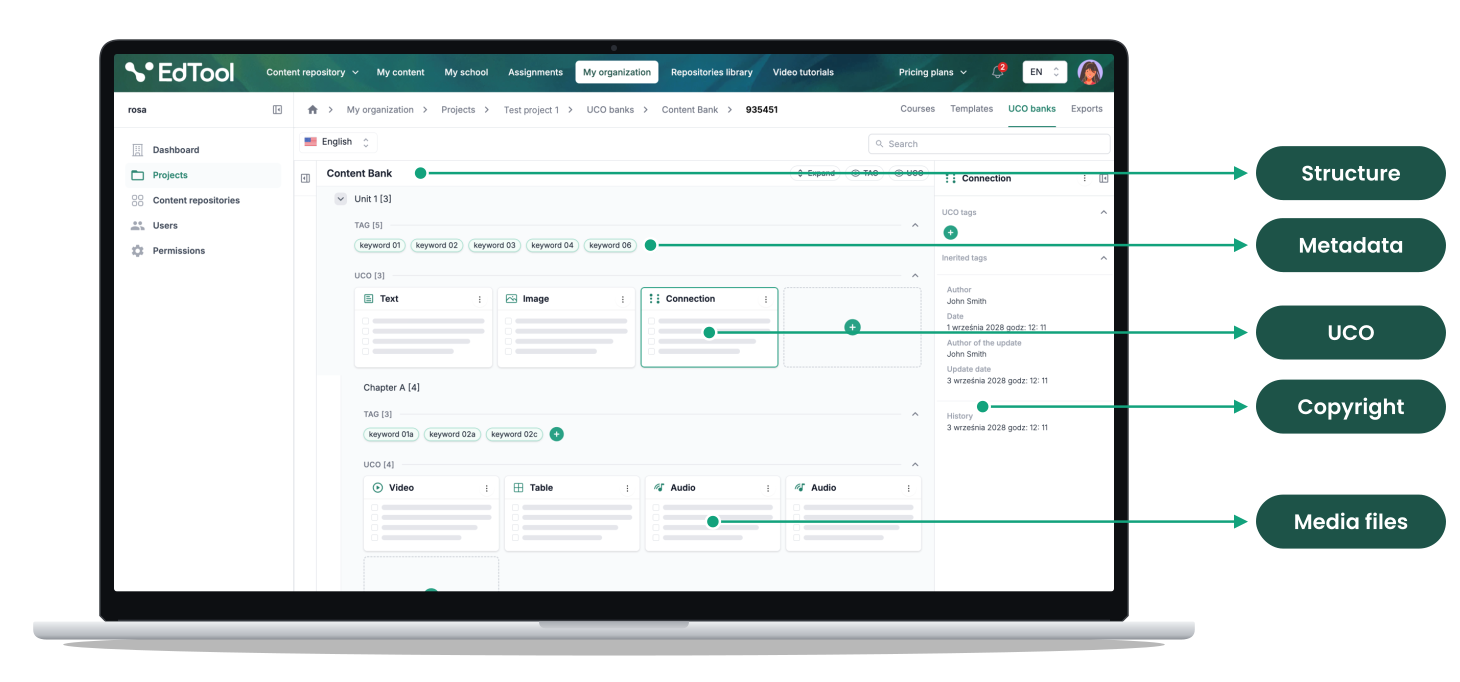
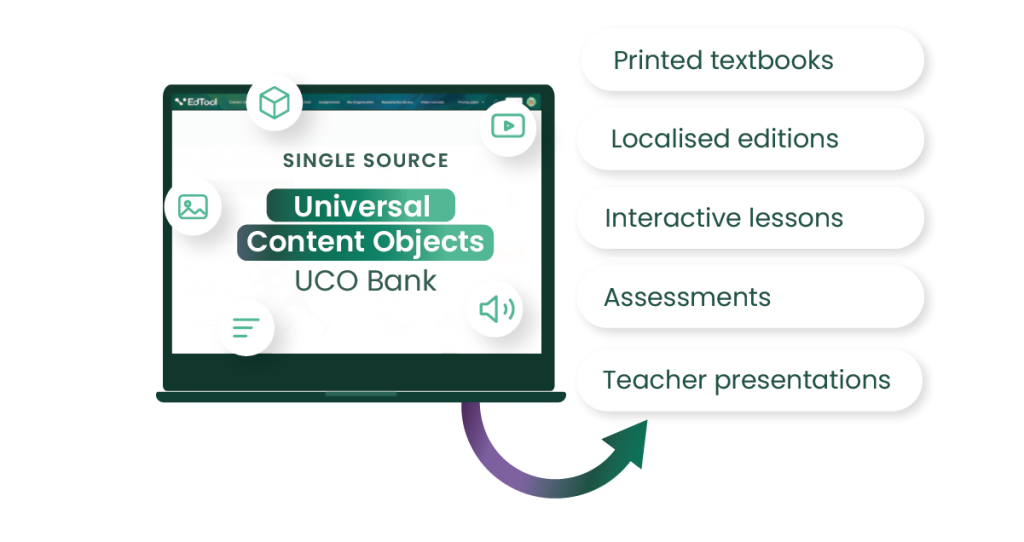
The UCO Bank introduces an innovative approach to content management, built around reusable Universal Content Objects (UCOs) that can be combined and adapted for different publishing formats.
What can be a UCO?
- a piece of text
- an image or illustration
- an audio or video, or other files
- an interactive activity
The UCO Bank also manages content structures, media versions, metadata, accessibility and copyright information.
Reuse content across products, keep print and digital consistent, and save time and costs on production and updates.
One content source. Two parallel production paths. The same publication date.
Create for print, digital, or both
Content Creation Hub supports different publishing workflows, from enhancing an established Print TO Digital process with AI-assisted authoring to enabling parallel Print AND Digital production built around the UCO Bank.
Explore both approaches and see how they can fit your publishing process.
Turn your printed educational content into engaging digital learning
Start with completed textbook pages or PDFs and transform them into interactive digital materials using AI-assisted authoring.
Add exercises, multimedia and assessments while reducing repetitive production work.
Create Print and Digital products in parallel from one source of content
Build a connected publishing workflow around the UCO Bank, which organizes Universal Content Objects (UCOs) for reuse across print and digital publications.
Adapt their layout and functionality to each format, reduce duplicated work and simplify updates.
Not sure which model fits your organization?
Every publisher starts from a different place. Your existing workflow, content structure, team setup, and digital strategy all shape the right approach.
Schedule a free consultation
We’ll review your workflow and show where AI can streamline your interactive content production.
WHY PUBLISHERS ARE CHOOSING EDTOOL PRO?
Professional authoring capabilities for educational publishers
Explore the features that help your team develop high-quality interactive publications, maintain consistent standards and prepare content for different learning environments.
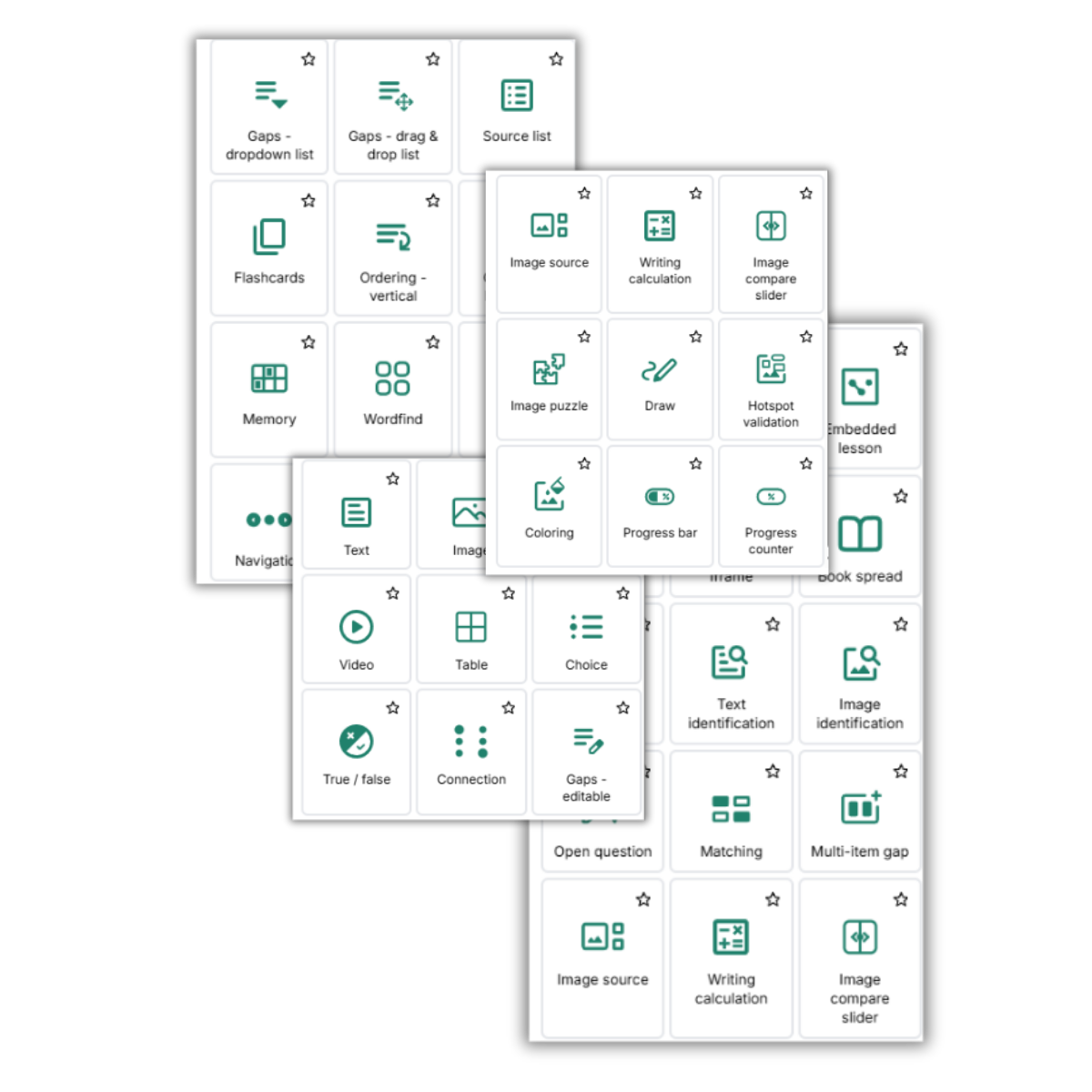
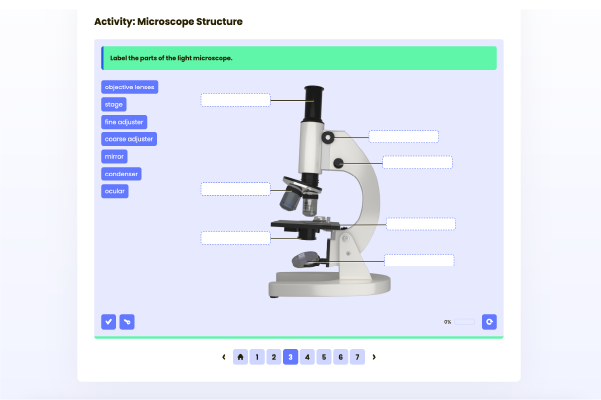
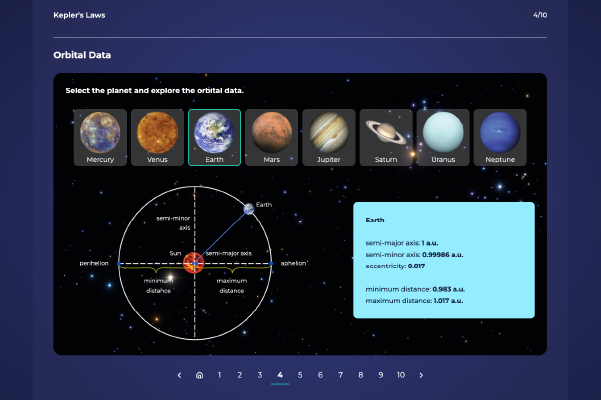
Large Variety of Functional Modules
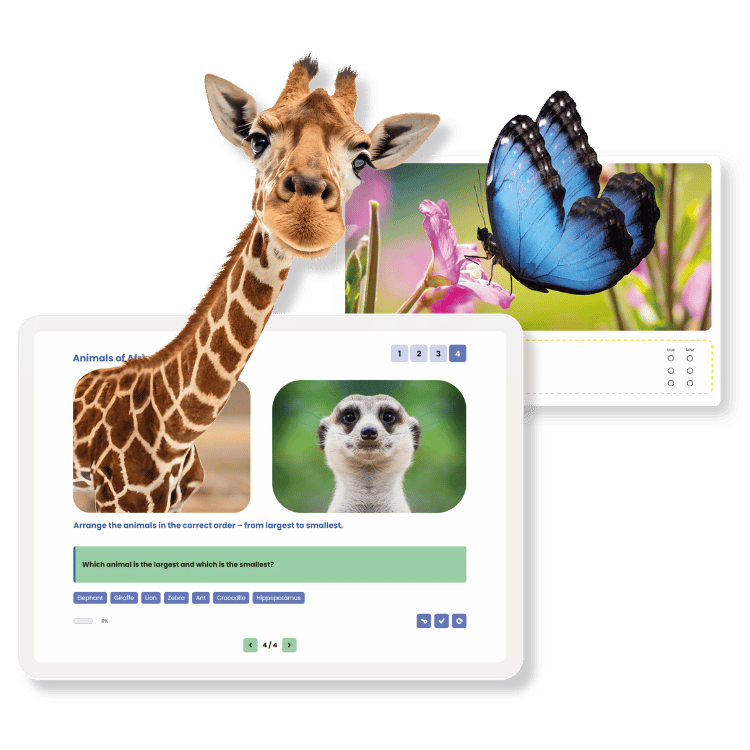
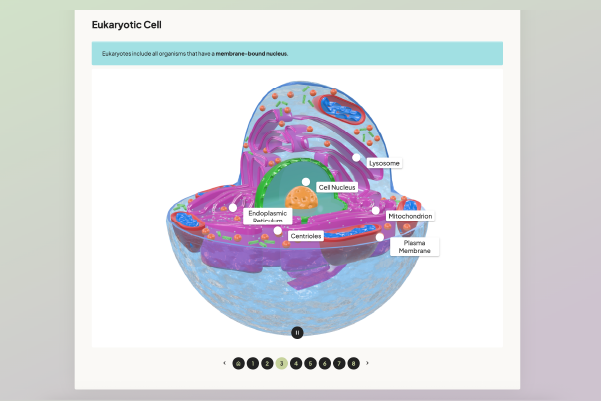
From simple text and image activities to ordering exercises, interactive quizzes, image identification, 3D objects and AI-supported assessment. Create rich learning experiences with a wide range of functional modules.
Functional Layout & Metadata Editors
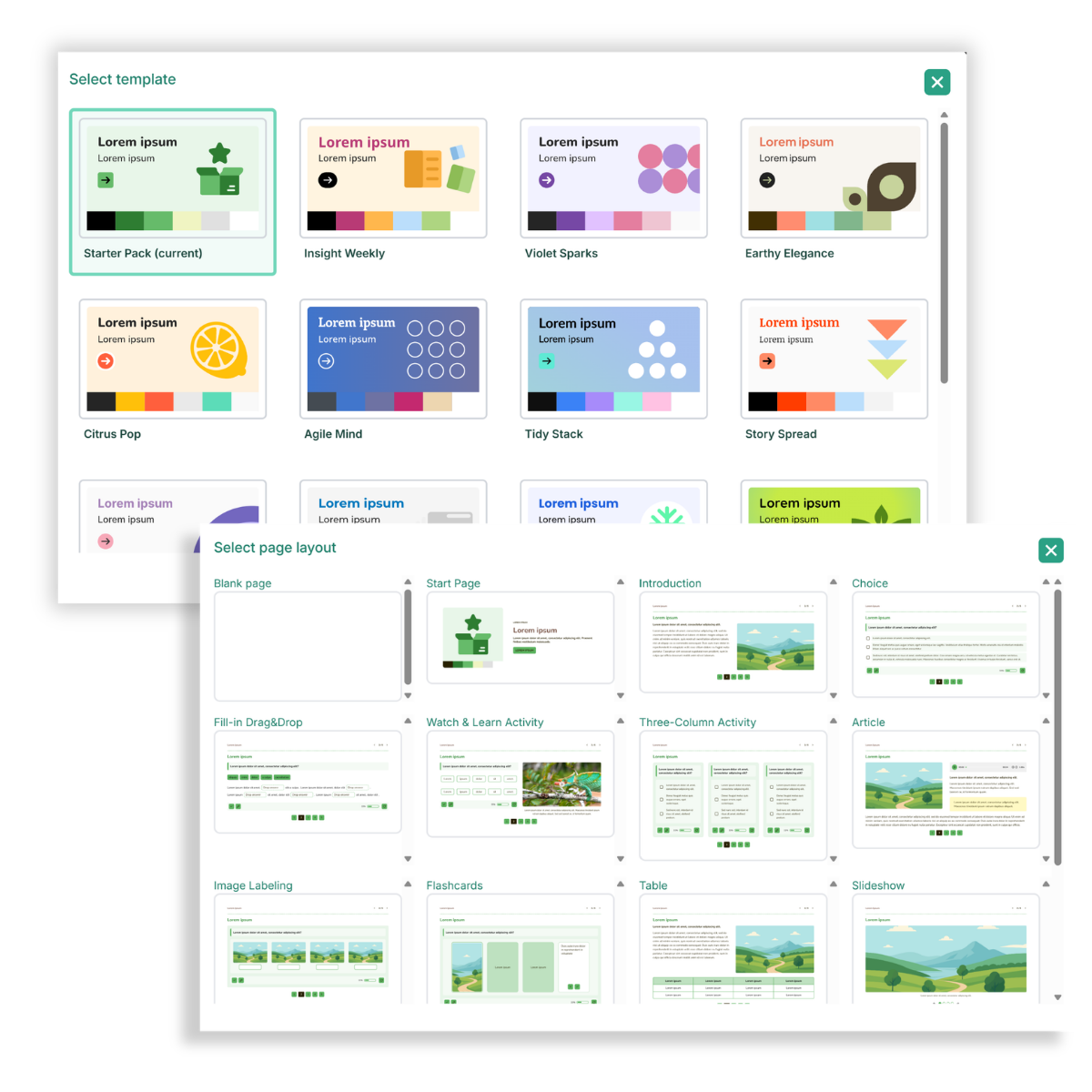
Choose from predefined functional page layouts or create your own. Use the customizable Metadata Editor to organize educational content, support content discovery and maintain consistency across publications.
Instant Digital Interactivity
Upload a textbook PDF or page image and use AI Creator to generate interactive activities tailored to your educational content, ready for further editorial refinement.
Visual Styles & Templates Editor
Choose from a library of pre-made visual styles and graphic templates or create your own to keep digital publications aligned with your brand guidelines and project stylesheets.
Accessible & Responsive Design
Create accessible digital learning materials with responsive layouts and authoring capabilities supporting alternative text, keyboard navigation and screen readers.
Structured
AI-powered Workflow
Integrate AI-assisted content preparation into a structured, scalable publishing workflow. Support existing Print TO Digital processes and more connected Print AND Digital production built around the UCO Bank.
Collaborative Production Management
Organize publishing projects, coordinate editorial teams, assign roles and manage access within a shared production environment.
Flexible LMS Delivery
Export interactive educational content as SCORM packages for use in compatible LMS platforms, without requiring schools to adopt a new learning environment.
See how EdTool PRO can helps publishers to covert their printed textbooks and speed up your digital content creation
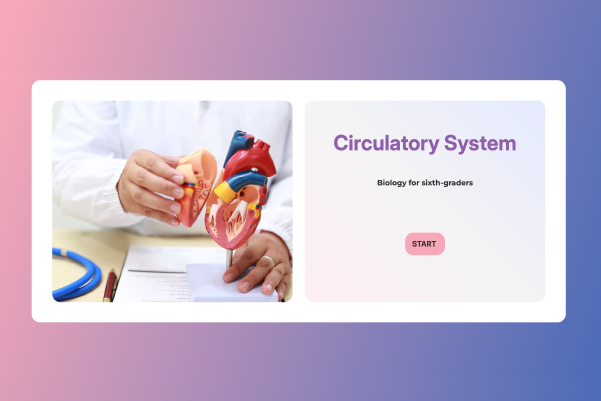
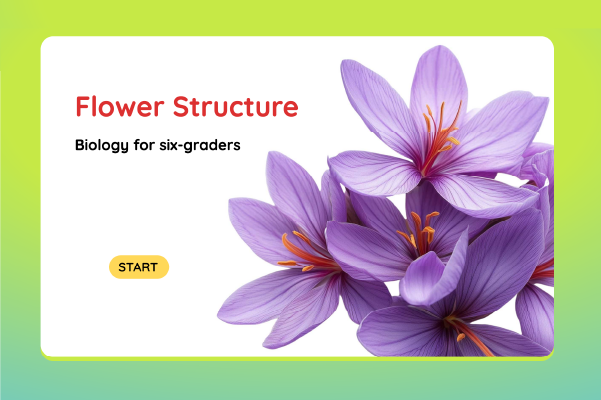
Explore digital textbook samples created with EdTool PRO
See how EdTool PRO helps publishers create high-quality, interactive educational content with engaging activities and assessments.
See what’s possible for your digital portfolio.
AI in Content Creation Hub
AI accelerates the work. Your editorial team remains in control.
-
Content recognition & structuring
Identify source content and structure it into editable digital elements.
-
Interactive content enrichment
Generate additional practice, revision activities and assessments.
-
Translation and localization
Adapt educational materials for different languages and markets.
Human-led. Editorially controlled.
Authors and editors review, refine and approve AI-generated content before publication, retaining responsibility for accuracy, educational relevance and accessibility.
Your content and IP stay protected and under your control.
Your materials remain under your control and are not used to train public AI models.
Learnetic does not use publishers' proprietary content or project data to train, fine-tune or improve AI models. AI-assisted workflows are governed by appropriate confidentiality, IP and data protection safeguards.
Use the Hubs independently or connect them into one continuous workflow
Content
Creation Hub
Turn your print materials into highly interactive digital products with the AI-powered authoring tool.
Design interactive, branded courses faster with AI-assisted Content Creation Hub that turns PDFs, or images into engaging content, ready to export to any LMS.
Best for
Faster AI-enhanced content production
Rich media & interactivity
Full editorial control
Content
Delivery Hub
Deliver your digital portfolio with a dedicated CMS, directly to your audience.
Publish and organise your content in your own Branded Content Repository, connect it to any LMS via LTI, or sell it straight to your clients.
Best for
Branded distribution
Licensed school delivery
Convenient content browsing
Learning
Experience Hub
Bring your digital content into the engaging teaching and learning experience.
Give schools and teachers a secure, collaborative LMS for assigning work, creating tests, and analysing student results.
Best for
Engaging presentations
Assignments & assessments
Analytics & insights
Get started
with EdTool PRO
Fill in the form to schedule a demo and see how it can support your publishing goals.
You can also book a personalized discovery call directly in the calendar here.