Create, assign and analyze interactive classroom activities while keeping students engaged on any device – anytime, anywhere.
Connect teaching and learning in one ecosystem
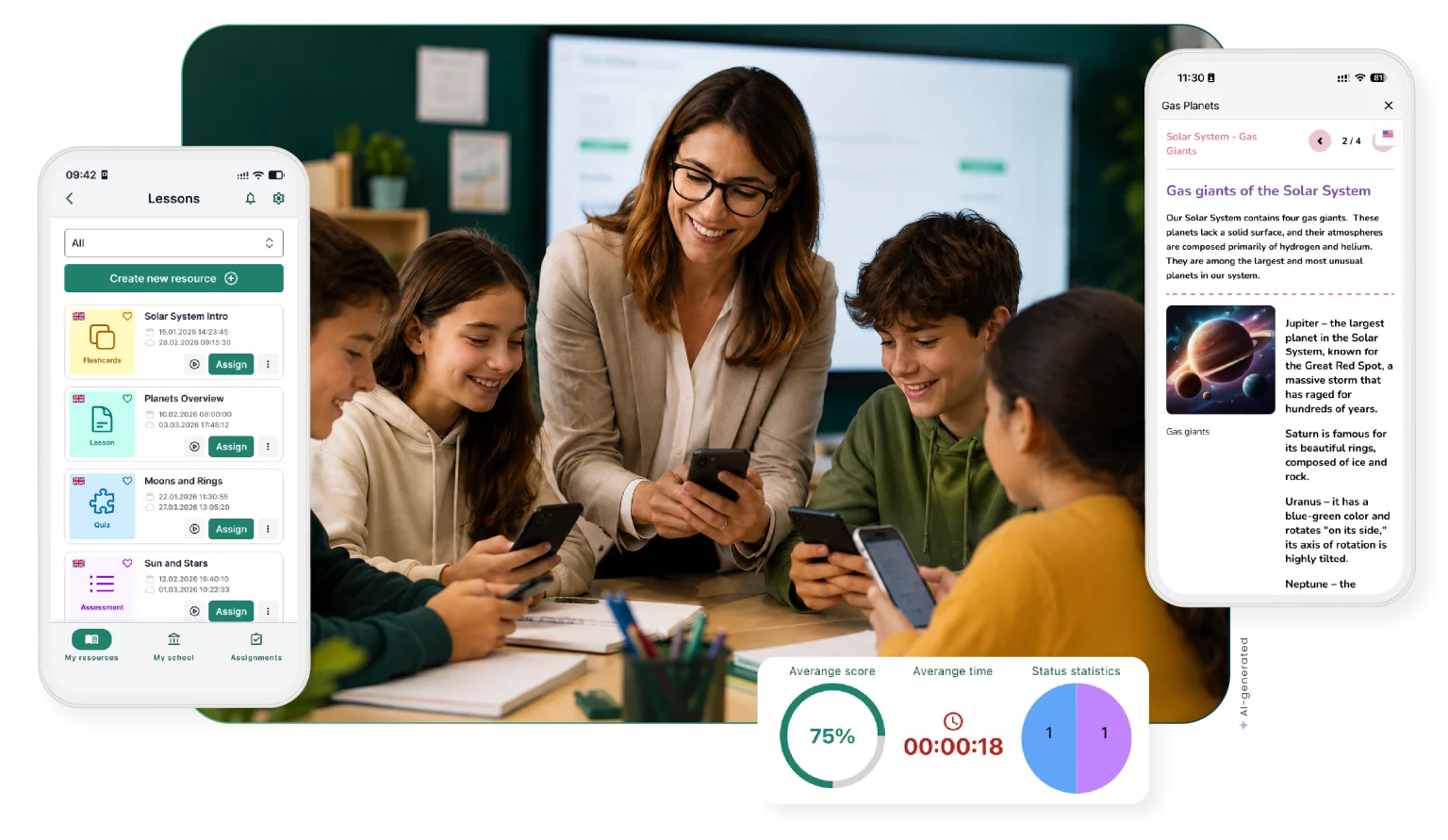
EdTool mobile is a seamless extension of the EdTool platform where teachers create interactive classroom activities and students complete them anytime, on any device. It helps you reduce preparation time and focus on teaching.
Create interactive classroom activities with ease
1
Upload
Add a PDF, take a photo of a textbook page, or type a short prompt to get started.
2
Create
EdTool uses AI to generate interactive Quizzes, Assessments and Flashcards ready to assign to students.
3
Teach
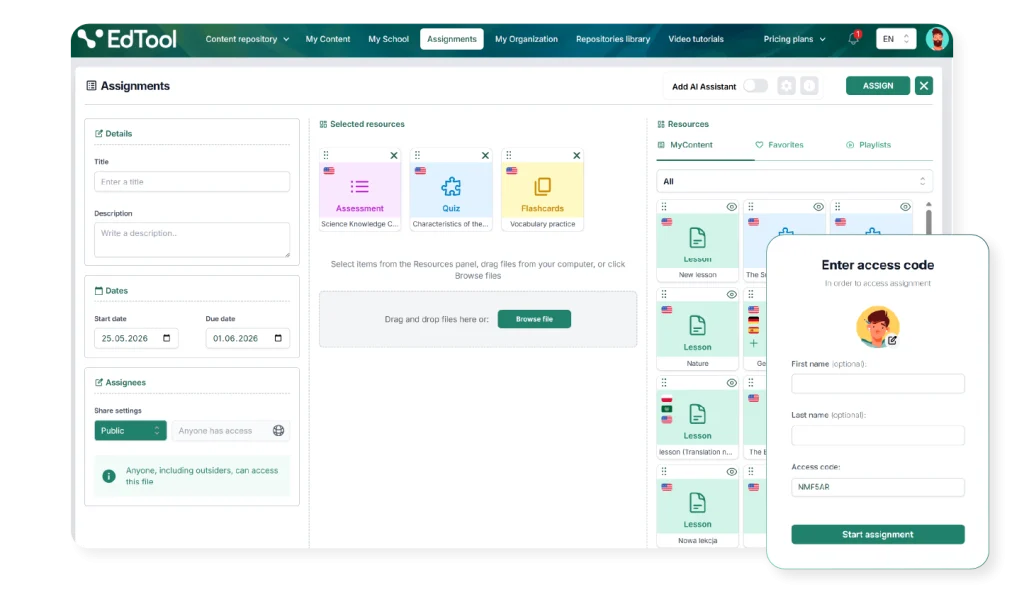
Assign activities to students, monitor progress in real time, and keep learning accessible on any device.
Mobile learning experience
Use mobile app for quick classroom activities generation
EdTool mobile complements the web version of the platform and keeps teachers and students connected in one teaching and learning ecosystem.
As a teacher, you can quickly create AI-powered Quizzes, Assessments and Flashcards, assign them to your students, and monitor results in real time.
With the mobile app, students get instant access to assigned materials and can complete them on their devices in class, at home, or wherever they are.
Hybrid learning experience
Create interactive lessons on desktop, assign them instantly, and let students complete activities in the mobile app.
Every great lesson deserves to reach every student – wherever they are. Create engaging classroom activities on desktop, send them to your class in seconds, and watch students dive in on their phones. No paperwork, no delays, no excuses. Just real-time results waiting for you on your dashboard the moment they’re done.
How it works
Step one
Create interactive lessons on desktop
Prepare engaging classroom activities from PDFs, textbook pages, images, or prompts. Use variety of interactive modules such as Filling the gaps, Ordering and AI open questions.
Step two
Assign activities to students
Share materials instantly with your class, groups, or individual students through the platform.
Step three
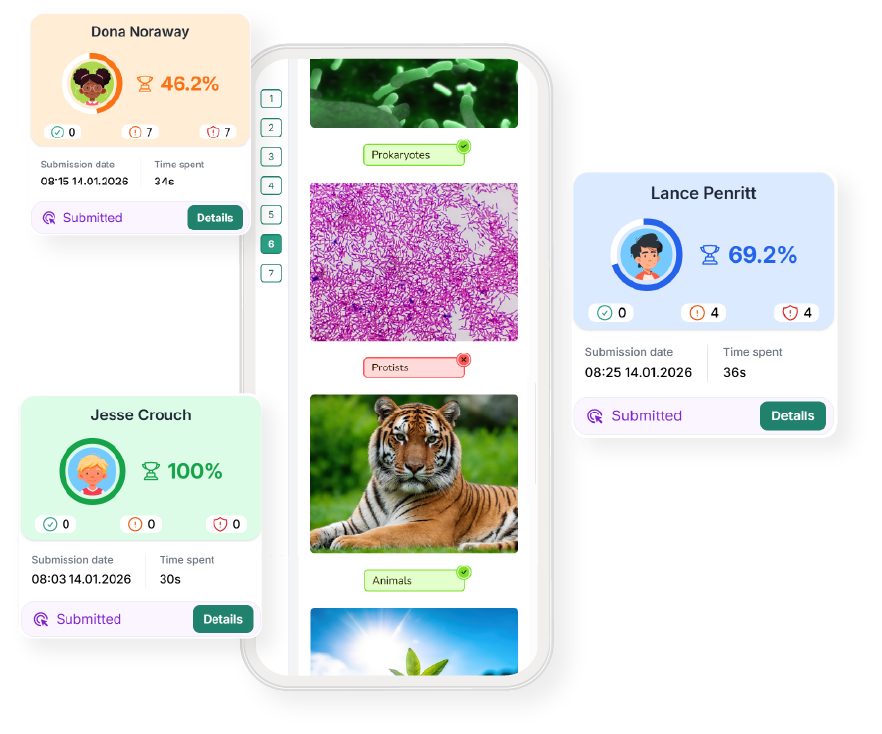
Let students complete activities in the mobile app
Students open assigned lessons on their devices and learn wherever they are – in class, at home, or on the go.
Step four
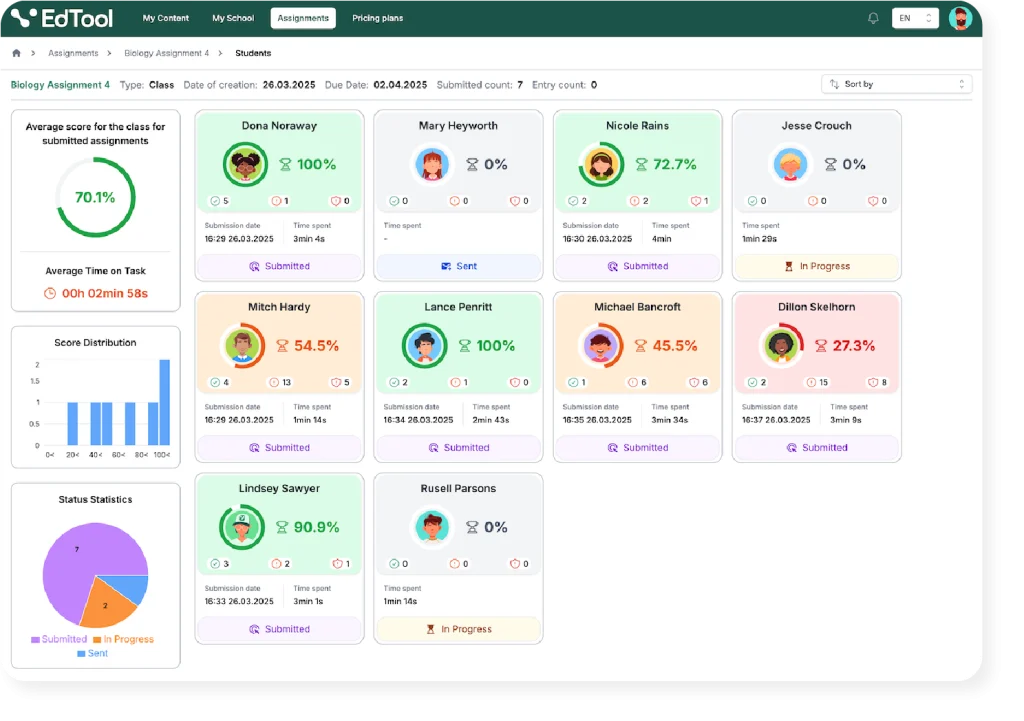
Track results in real time
Monitor student progress and review performance directly from your desktop dashboard
Coming soon
Soon you will be able to browse Content Repositories of over 50,000 interactive Science, Mathematics and Special Education resources designed by subject experts, ready to assign and easy to search with AI visual search.
Teach anywhere with the EdTool Mobile App
Create, assign, and track interactive activities from your desktop while students learn seamlessly on their mobile devices.
Download the app and keep learning connected everywhere
Buy a plan
To make a purchase, you must be logged in. If you don’t have an account, sign up.